

35
UI Components
Form elements among them

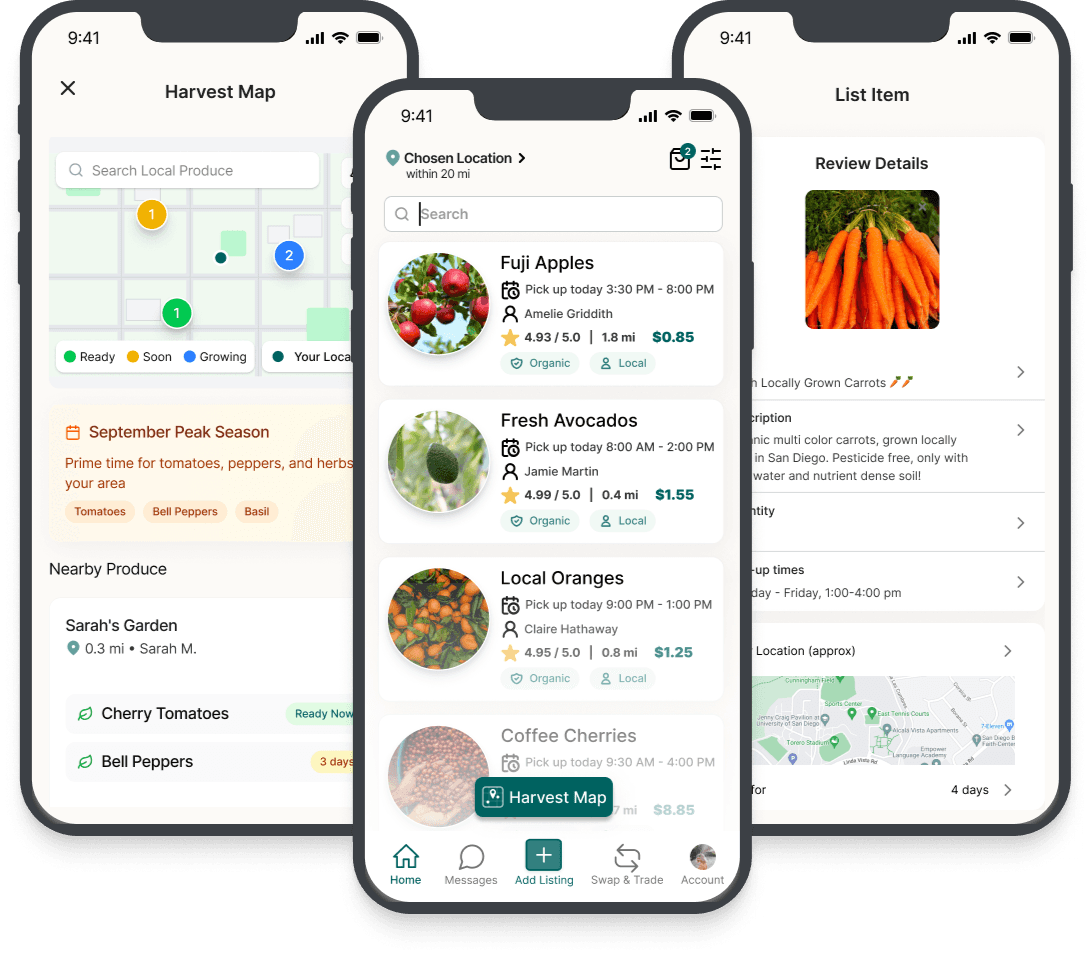
An AI-powered prototyping tool that helps teams rapidly turn early concepts into high-fi interactive prototypes using PLUS design system, accelerating design workflows.
Context
PLUS is a tutoring platform that connects human tutors with AI-driven software to boost learning gains for middle school students from historically underserved communities.
As the Product Designer, I led foundational design work for an AI-assisted workflow at PLUS, building the context layer that used Figma tokens and design-system components to generate system-aligned UI and accelerate cross-functional validation.
Problem
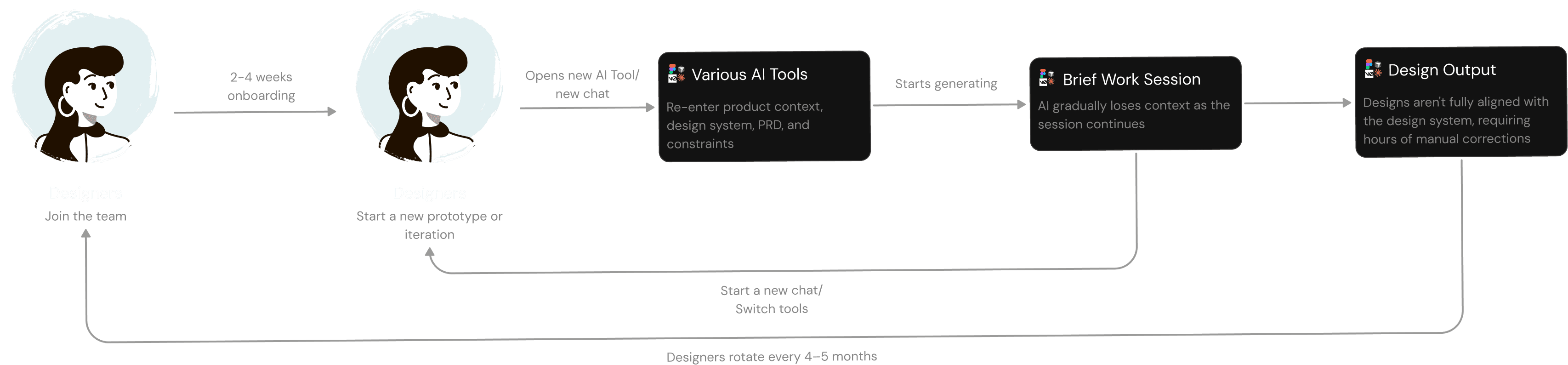
PLUS has designers who rotate every 4–5 months. Each new cohort meant losing product context, design system knowledge, and team conventions before they could contribute effectively, slowing onboarding to 2-4 weeks.
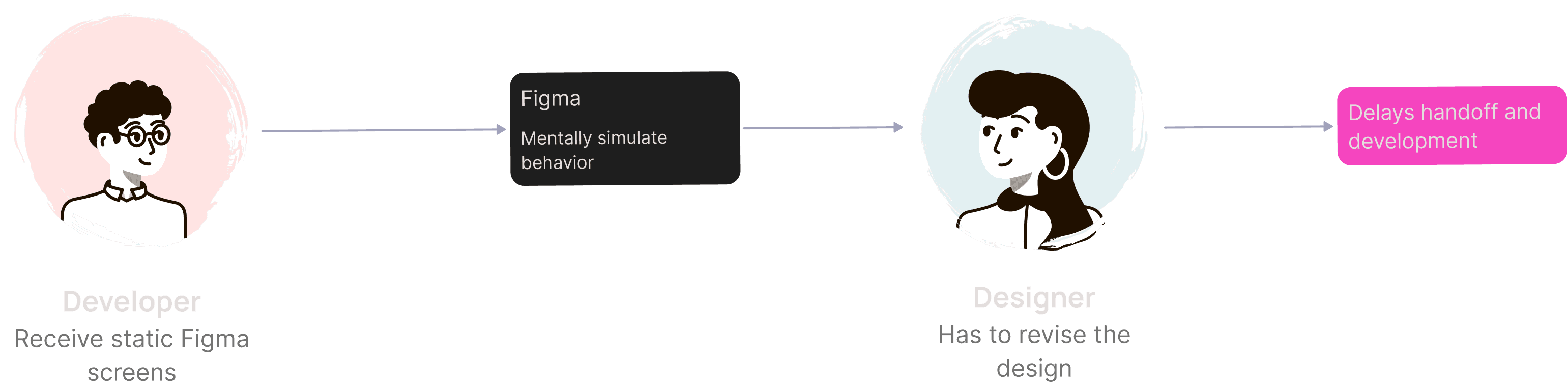
AI could theoretically accelerate the process, but context still had to be rebuilt across tools and sessions—slowing iteration and making consistent, system-aligned output harder to achieve.
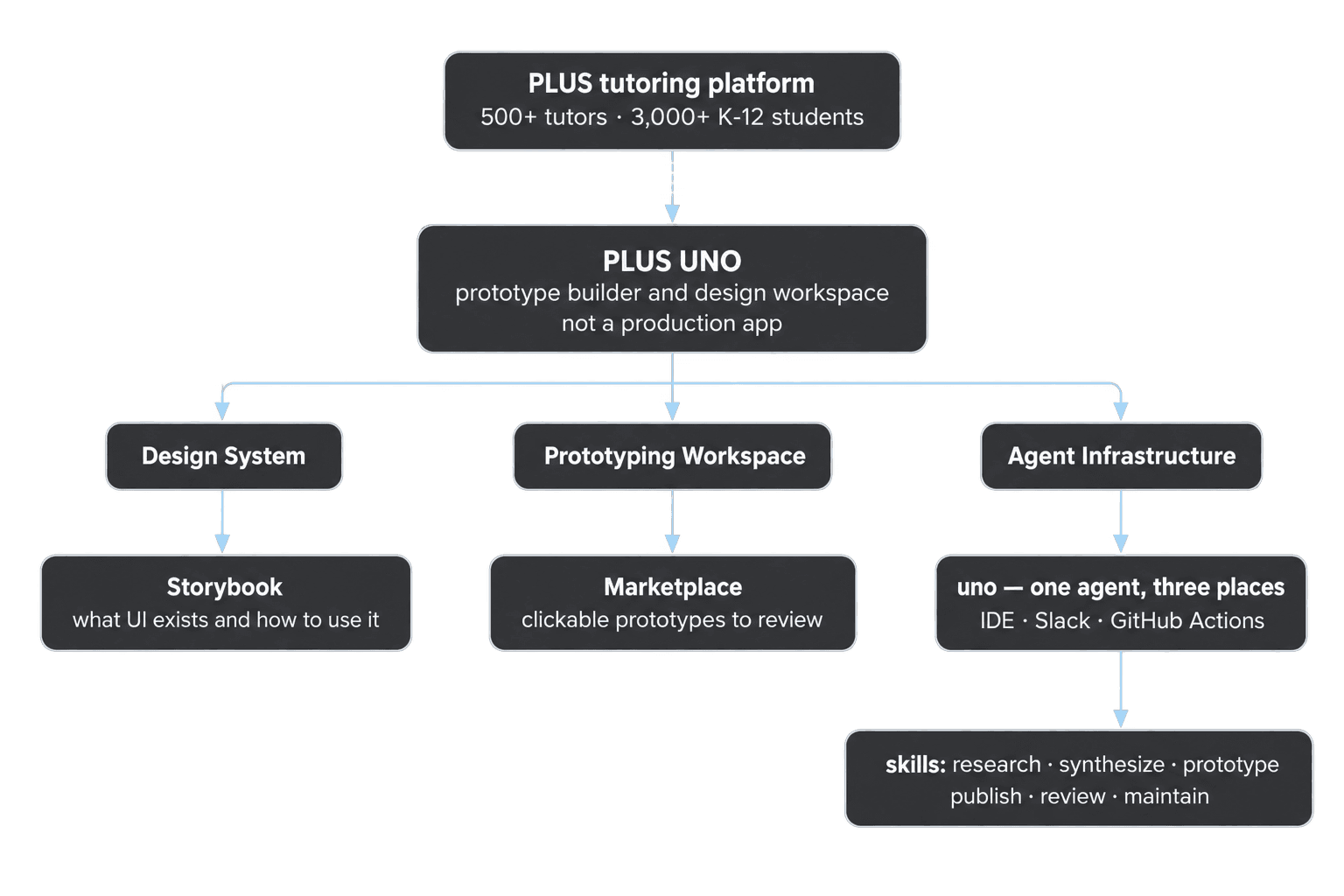
PLUS UNO, an AI-assisted prototyping workflow for PLUS: a living design system, a prototyping playground, and shared review/publish rails. It helps the team go from a rough idea to a system-aligned prototype that can actually be reviewed and handed off.
01 Storybook
PLUS Storybook is the design-system handbook for foundations, components, and product specs—helping teams understand what exists and how to use it.
I led the Figma-to-React/Storybook documentation effort, designing and implementing reusable layouts for Admin, Training, and Login.
1st Iteration
We organized coded components using Atoms and Molecules, with interactive controls for inspecting states and properties.
Final Iteration
We evolved Storybook into a more structured implementation reference with:

Challenge
As UNO expanded, design-system guidance, product context, workflows, and team learnings started to live across more places. The challenge was no longer creating more context — it was making that context reusable across tasks, teammates, and tools
Stop Chasing Design Tools, Start Building a Design Harness
We organized UNO as a team-owned design harness:
Design Harness = Context + Skills + Orchestration + Evaluations + Compounding

How we structured it

Structuring Context for Progressive Loading
We modularized design-system context and routed each task to only the files it needed.
Why it mattered / comparison visual
A harness doesn’t have to be complete to be useful. Even a basic version changes what gets produced:

The harness turned scattered design knowledge into reusable infrastructure that could persist across tasks, sessions, and tools.
03 Prototype Marketplace
A centralized platform to host all prototypes for easy viewing so the team can review, compare, revisit, and reuse outputs.
04 PLUS UNO Storybook AI Assistant
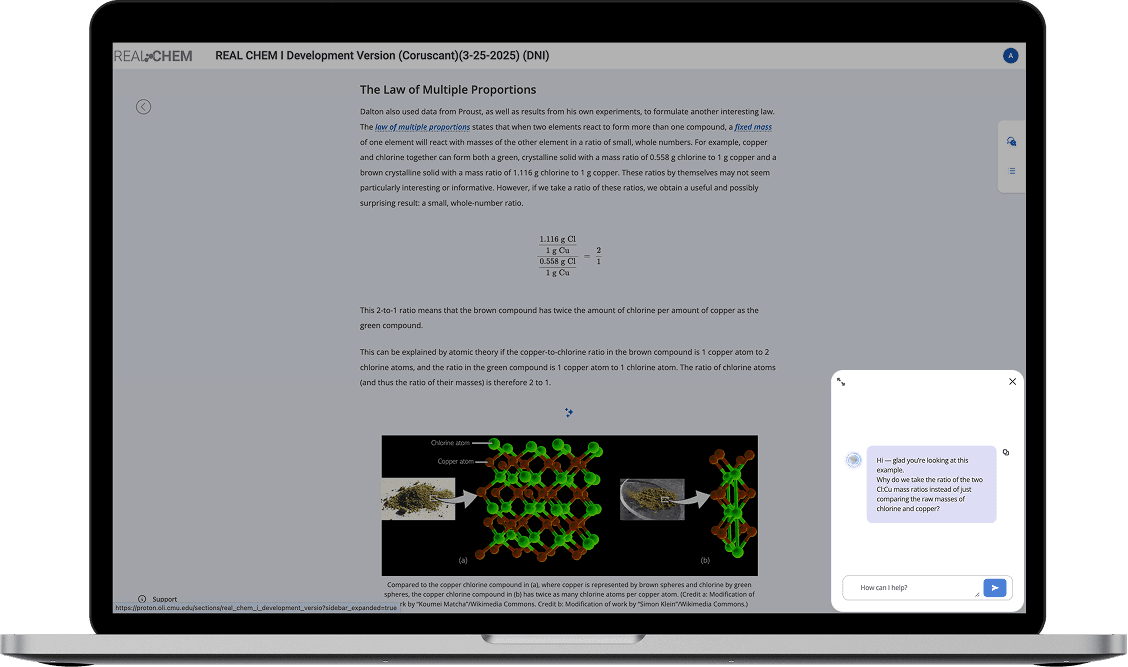
I designed and built a Storybook AI Assistant and shipped it inside PLUS Storybook — the design-system handbook designers already use. It calls OpenAI from the Storybook UI (with an offline fallback), so you can ask how to use a component, get an explanation of the screen you’re on, or jump around the library in plain language.
05 Skills Pipeline
A structured framework that tells the AI how to behave depending on the task — whether that's consulting on layout or rapidly prototyping a new idea.
Key Decisions
Dropped jQuery-based stacks → React Bootstrap
React-based approaches produced clearer structure and more predictable results.
Our codebase runs on HTML/CSS vanilla JavaScript Bootstrap — but AI models produce significantly better output with modern frameworks.
We deprioritized HTML/CSS/JavaScript and shifted to TypeScript with React, using React Bootstrap to align with existing Bootstrap-based patterns.
Stick with Cursor
Our hope was to package the tool into an NPM package so it could become tool-agnostic — especially utilizing it in Figma Make. However, it didn't work, and we decided to stick with Cursor, since it had the strongest capabilities.

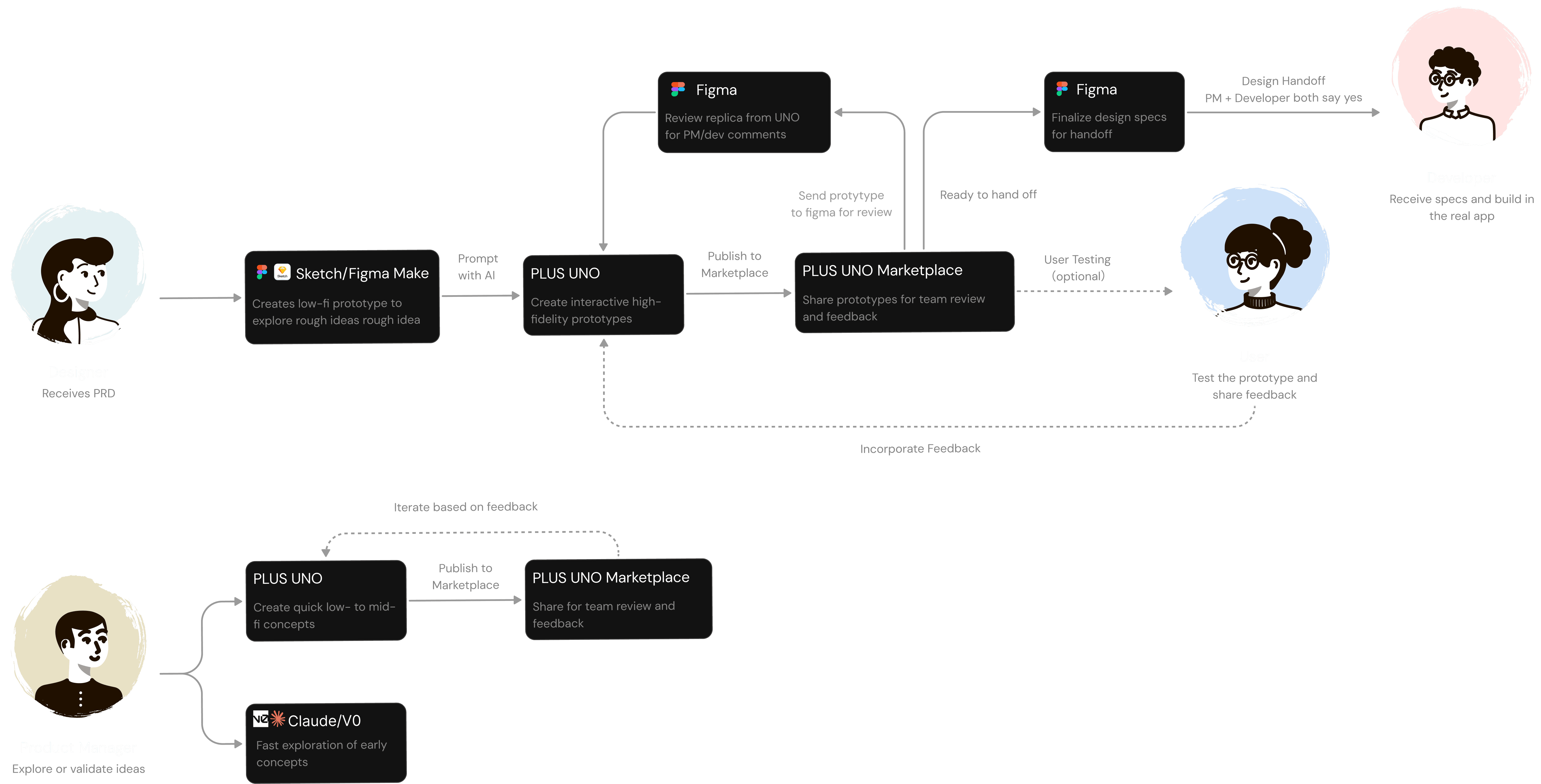
The New Workflow
Early Outcomes
Onboarding time dropped from 2-4 weeks to under 1 week for new designers
Design system coverage expanded as documentation was structured for AI consumption
Product managers began handling minor design tasks independently, reducing designer bottleneck
Next Step
As PLUS UNO stabilizes, our focus shifts toward maturity and expansion. We aim to solidify the agent's place in the design process and explore new opportunities for impact.
Achieve consistent team-wide usage
Roll out stable templates and best practices to reduce output variance and ensure all designers use the system with confidence.
Reach workflow maturity and evaluate expansion
Finalize documentation, tutorials, and prompt guidelines to support onboarding and streamline adoption across new projects.
Shared design-system package
Package the design system so UNO and production can import the same components, reducing rework while keeping prototype pages in the playground.
Appendices
View More Projects